

How to Prevent a Filtered VPN’s “On-Demand” Toggle From Being Disabled
On-Demand is a special feature VPNs can use to enforce filtered VPNs on iPhones, and fortunately, it can be enforced.


If you use a content-filtering VPN, chances are you’d like to ensure the VPN can’t be disabled easily. One of the most important features of a VPN is the On-Demand toggle in the Settings app, because if this is ever disabled, it makes the filtered VPN much less enforceable. Fortunately, it is possible to completely control a VPN, including the On-Demand toggle, to better enforce a filtered VPN.
The On-Demand toggle is not normally possible to control, not even if you install a special app or use Screen Time, but it’s possible to enable a feature called MDM to install and enforce a VPN that can’t be disabled on the iPhone at all. In fact, to disable the VPN, you’d have to change settings remotely.
I’ll explain a setup (which I believe is the most effective) for adults where you can’t even disable the filtered VPN remotely without asking an accountability partner for a code. This approach also works for parents as well because it’s possible to close several Screen Time loopholes .
The only other real way to disable the On-Demand toggle is to use an Apple Shortcut/Automations. This approach can work in some cases, but it’s not nearly as effective as MDM.
Disable the On-Demand Toggle with Remote Supervision
If you have a filtered VPN, you might go to the Settings app to find the VPN profile and notice it looks like this:
Here, there are two ways that filtering might be bypassed:
- Turn off On-Demand
- Delete the VPN profile entirely
In our guide for enforcing a filtered VPN on iPhones , we explain how to prevent the VPN from being deleted, so you might get the VPN profile to look like this instead (without the ability to delete it):
To disable On-Demand, you will need to use a filter that uses MDM, which is a special feature that is possible to set up for yourself but takes a considerable amount of time and effort. If you’re a Tech Lockdown member, you already have access to Remote Supervision , which uses MDM behind the scenes.
It only takes a few minutes to initially prepare your iPhone and set up MDM, and it doesn’t require your iPhone to be factory reset without the chance to save your data (which is normally the standard process). Once set up, edit your Tech Lockdown config to protect the Filtered VPN:
Afterward, save the config and wait for it to sync to your iPhone. When you check the VPN profile on your iPhone, it should now look like this:
The only way to turn off the VPN now is to go through Tech Lockdown, and if you use Profile Locking, that might require you to enter a password, ask your accountability partner for a unique code, or wait for a couple of hours before the change can be made.
Parents might not need profile locking, but you can add multiple devices and members to your Tech Lockdown profile to apply unique restrictions for each person.
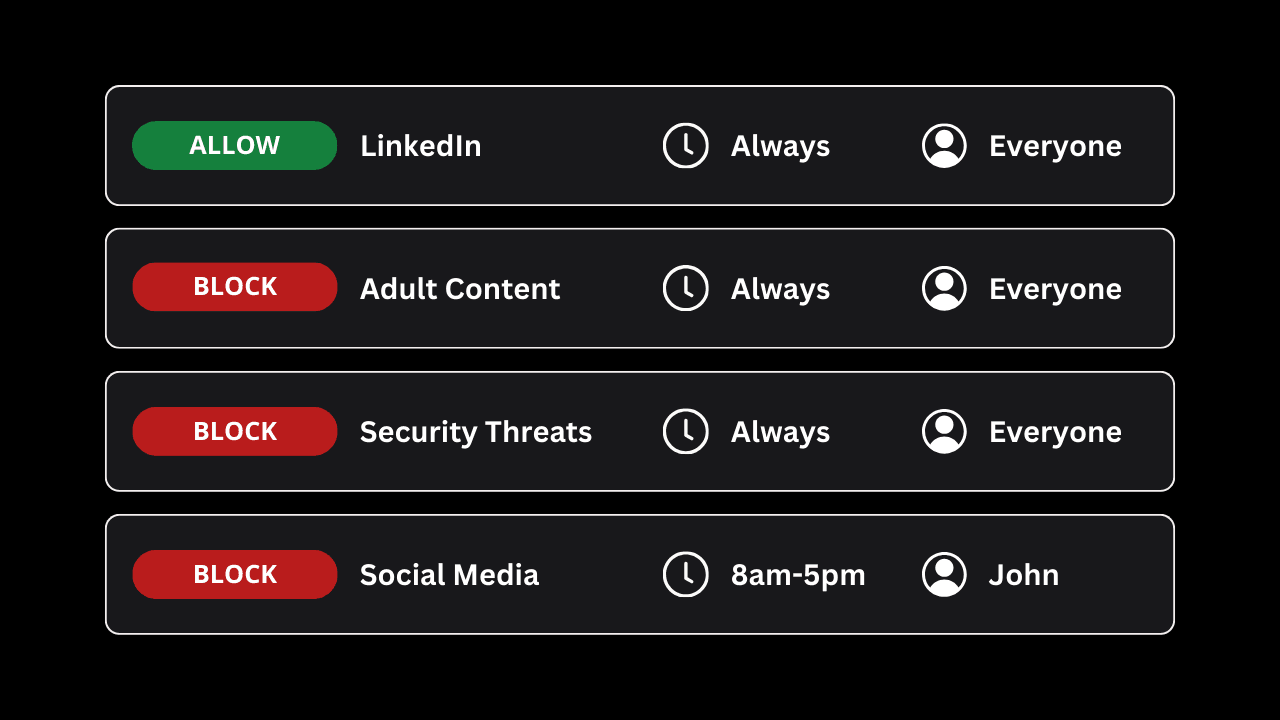
Plus, Tech Lockdown also provides an internet filtering tool called the Content Policy , which can be used to filter websites based on a category, choose who those blocks should apply to, and even schedule when content should be blocked.
Use Shortcut Automations to Re-Enable On-Demand
Without MDM, it’s not fully possible to prevent the On-Demand toggle from being disabled; believe me, I've checked every other possible option, and MDM is the way Apple wants us to do this. You can partially achieve the same results by using the Shortcuts app.
Shortcuts can be used to perform actions on your iPhone, including some features related to VPNs. This can basically be used to toggle the VPN back on when an app opens, for example.
See our dedicated guide for using Shortcuts Automations on iOS .
Frequently Asked Questions
What exactly does the On-Demand toggle do?
Normally, VPNs need to be turned on manually after your iPhone connects to a network. This could happen each time you switch Wi-Fi networks or when you switch to cellular. If On-Demand is enabled, the VPN activates automatically whenever you leave the house or join a different Wi-Fi network than usual.
Why is Remote Supervision Required to Disable the On-Demand Toggle?
The easy answer is that Remote Supervision uses MDM behind the scenes, and MDM is the only way Apple allows the On-Demand toggle to be restricted.
It’s especially strange because Apple does allow you to prevent a VPN from being deleted without using a VPN.
Are there other ways to enforce a Filtered VPN?
Check out our dedicated guide for enforcing filtered VPNs on iPhone for all of our available advice, but yes, it is possible using a variety of different methods.