

Is the Gryphon Atlas Max worth the premium price tag?
This review breaks down the parental control features, setup process, and overall quality of the Atlas Max router so that you can determine if it's a good fit for your family.
If you are looking for a router that comes with built-in parental controls, the recently release Gryphon Atlas Max router is worth considering.
The price point puts it in the premium category, but some people may find that the features justify the cost.
This latest release fixes some of the issues we detailed in our review of the Gryphon AX and modern hardware ensures that parents don't need to sacrifice internet speed and modern router features for safer Wi-Fi.
Atlas Max Pricing
Wi-Fi routers tend to range from $50-$250, with high end routers retailing as much as $700.
The Gryphon Atlas Max router is on the high end when it comes it pricing: it
retails for $599 through their website
, which can be discounted to $539 using our coupon code: TECHLOCKDOWN.
The premium price point may be justified for a few reasons:
- Gryphon's parental control features are the best out of any router we've seen so far.
- A do-it-yourself approach likely requires several different products and paid services, which narrows the price difference significantly.
Atlas Max Spec Improvements
The Gryphon Atlas Max router is a significant upgrade compared to its predecessors. It’s definitely a better fit for modern devices that depend on faster internet speeds, while still being compatible with older devices.
Compared to older models, like the Gryphon Tower AC3000, the Atlas Max has a wider signal range (3000 vs 4000 square feet), and supports the newer Wi-Fi 7 protocol. The Atlas Max also has separate signal bands for 2.4, 5, and 6GHz devices.
It also seems like the Atlas Max is a combination of the Gryphon Guardian and Gryphon Tower AC3000 router models. Unfortunately, we weren't able to fully test these features, because the Gryphon Atlas isn't generally available at the time of writing this review.
What we do know is that the smaller Guardian model was designed to be a lightweight node on a mesh network, whereas the Tower AC3000 model was a purely standalone device. The Atlas Max acts similarly to the AC3000 and can be the central hub for your home's Wi-Fi network, however, it can be linked with other Atlas Max routers to form a full mesh network. This saves you from having to create multiple Wi-Fi networks in your home if you end up needing more than one device to get full signal coverage.
Here’s what comes in Gryphon Atlas Max box:
The Atlas Max fully supports 2.4Ghz, 5GHz, and 6GHz devices, meaning that almost any kind of device out there is going to be able to connect. It also has four ethernet ports on the back: one for 10Gbps and three for 1Gbps devices.
The router also lets parents set up three separate “VLANs” or wireless networks: a home network, a guest network, and even an IoT network. IoT is often overlooked by other parental control routers, and there are good reasons why you’d want to keep devices like security cameras on their own, isolated network anyway.
Even with these separate networks or VLANs, if you’re using the Gryphon Connect app to set up the Atlas Max, you can also control parental control settings for each person in your family. I’ll explain this a bit more in the next section, but this solves another common problem we see with other parental control routers where you often can’t change filtering settings for individual devices. You might want completely different settings on a younger child’s iPad, for example, compared to your own devices.
What Kind Of Parental Control Features Does the Gryphon Atlas Max Have?
There are a lot of features specifically designed for parents! All of these parental control settings use the Gryphon Connect app, and you don't even need to be at home to make changes.
New devices that are allowed to connect to the internet are considered "unmanaged" by default. You can move a new device to a specific user on your account to manage it. The default two groups are called Family and Guest.
Require Parental Approval Before Connecting a Device To The Internet
Parents can block unapproved devices from connecting to the internet by default:
It's easy to skip over this feature, but it prevents a child (or more usually, an older teen) from connecting an unapproved device that may bypass restrictions you've intended for their devices. For example, maybe your child has friends over, or there is an old smartphone that you might have forgotten about.
Monitor Your Child's Internet Activity
Parents can also view a full list of web browsing history, including a simplified view that automatically highlights what's most important:
There are some cases where you may need to inspect logs more closely, and there are some helpful options you can choose from:
Customize Access To Websites
Each user can be assigned an age rating in the Gryphon Connect app, and you can manage what kind of additional restrictions should enforced on those devices:
For example, parents can enforce SafeSearch, turn on YouTube restricted mode for each family member, or even block VPN apps separately.
It’s also possible to block a specific website (or allow it if you don’t want it to be blocked), but you can also block entire categories of websites too.
How Easy Is It To Set Up?
As long as you’re using the Gryphon Connect App, it’s very easy to set up your new Gryphon router. Our setup only took about 15 minutes, which included downloading the app, scanning the QR code on the router, creating an account, and finishing the pairing process on a phone.
In one of our previous reviews on a Gryphon router , we noticed issues when purchasing a second-hand router from Ebay, so if you're buying the Atlas Max used, it’s worth reaching out to their support team if you run into any issues.
How Fast Is It?
A common concern for so-called “parental controls routers” is that they’re slow, clunky, and difficult to set up. The Gryphon Atlas Max router stands out as being both very easy to set up while keeping internet speeds blazingly fast.
We were able to consistently see 100Mbps+ internet speeds for devices, with some devices even reaching 300Mps+ at peak, although it’s worth noting this largely depends on your ISP.
Additionally, this router also allows parents to set up Quality of Service (QoS) settings so certain kinds of services and applications have priority on your network. This makes it a viable option for both gaming and video streaming/calling.
Range And Signal Strength
The router has an impressive range! I was consistently getting 100Mbps+ speeds all around my house.
I only really started noticing a problem once I tried taking the test outside. Although, at that point, over 30 feet and a brick wall were between my device and the router.
Verdict: Very Robust Set Of Features Worth The Price Tag
Overall, the Gryphon Atlas Max router is a very robust device that’s fast, functional, and easy to use. It works well with many other kinds of parental control apps or content filtering services, and includes several parental control features of its own.
It is a bit more pricey compared to some of the older Gryphon models at about $599 MSRP, but it’s worth the investment. Use our affiliate code TECHLOCKDOWN at checkout to get off a new router from Gryphon's website.
Our affiliate code can also be used on other Gryphon router models:
- Gryphon AX. It
retails for $299 through their website
, but you can use our discount code
TECHLOCKDOWNto drop that down to $269. - Gryphon Guardian. It
retails for $79 through their website
, but you can use our discount code
TECHLOCKDOWNto drop that down to $71.
Go Beyond Monitoring Websites With The Screenshot Monitoring
Routers like Gryphon can help give parents insight into what kind of websites a child might visit while at home, but that often doesn't provide a complete picture. For example, you might allow a social media website, only for an inappropriate image to slip through a normal filter.
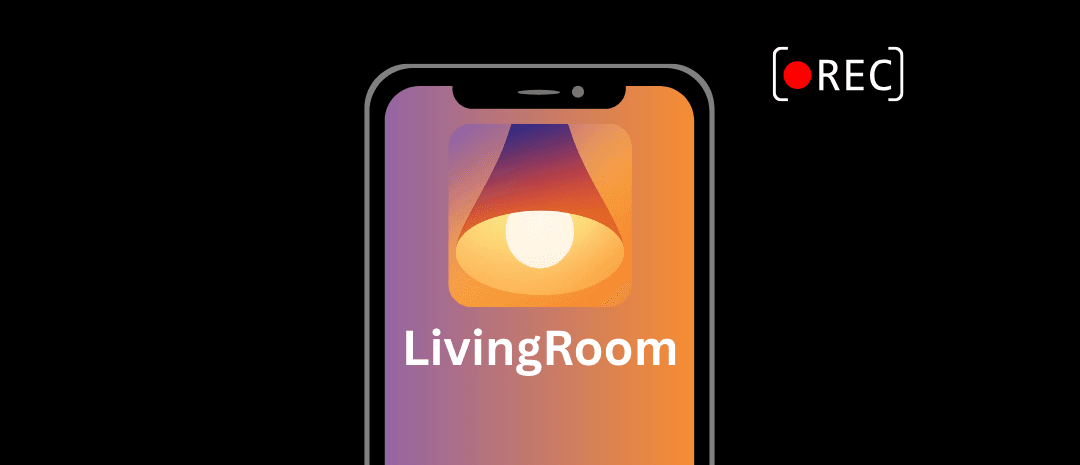
Even if you're monitoring all websites you child is visiting on that device, you could tell what posts your child viewed, so that's were apps like LivingRoom for Families can help.
Automatic nudity detection proactively scans the screen on your child's iPhone, blocks an app if sensitive content was viewed, and sends a notification to you to review later with the entire context clearly visible.
Plus, LivingRoom can be set up in an enforceable way so it can't be disabled, bypassed, or uninstalled, which is traditionally possible with most parental control apps on iOS.
Frequently Asked Questions
Do Gryphon Routers Require a Subscription?
There is an optional subscription that automatically blocks malware and other security threats, and some of the other parental control features are locked until the subscription is active turned on.
If this is of interest to you, Gryphon does offer a generous 30 day free trial that you can cancel anytime.
Does Gryphon Work With Other Parental Control Apps And Content Filters?
There may be situations where you’ve set up parental controls on your child’s devices already to block content. With some kinds of filters, a parental control router would interfere with them and prevent them from working properly.
Fortunately, Gryphon allows parents to manually configure their own DNS settings, which is very important if your goal is to monitor websites visited on your Wi-Fi network or block content. This means that services that enable filtering on your home’s router, like Tech Lockdown's Content Policy , are fully compatible with a Gryphon router!
There are a few exceptions though; Gryphon specifically lets parents block VPNs and security threats. A few of the services we've tested were falsely flagged as a security threat, but Gryphon does let you manually override blocked domains and URLs.
Additionally, some content filters rely on a VPN, and Gryphon might block them thinking they are a VPN that needs to be blocked. This makes sense if you're trying to prevent a child's device from using a VPN to get around filtering, but this is a legitimate case where you may need to consider alternative ways to enforce VPNs instead of blocking them with Gryphon.
Does Gryphon Cause Issues With Apple Private Relay?
While testing older Gryphon router models, one of the things we did notice was how Gryphon could block Private Relay, which is an iCloud+ feature that may allow an iPhone user to bypass filtering. However, a big problem was that blocking Private Relay sometimes affected other Apple services.
The Gryphon Atlas Max is also able to Private Relay, but they seemed to have fixed this issue so it doesn't affect other Apple services (at least, from what we were able to test).
All you need to do to disable Private Relay is block VPNs, which you can do from a single toggle:
Is the Gryphon Atlas Max FCC Authorized?
Yes, it's fully available in the United States!
That makes the Atlas Max one of only two Wi-Fi 7 routers that have been conditionally approved by the FCC, which isn't true for a lot of routers out there that had serious security flaws .
Can Gryphon Routers Pause The Internet?
Yes!
This is actually one of the first options you see when you open the Gryphon Connect app on your phone. You can also suspend the internet for a specific user, which disconnects their devices only (without affecting anyone else).
What Security and Privacy Features Does The Router Have?
The Gryphon Atlas Max has several security features worth mentioning:
- WPA3 Personal, with WPA2/WPA3 and WPA2 for backwards compatibility
- DNS Rebind Attack Protection, which is a more advanced feature that is enabled by default
- Manual DNS settings, so you can change from your ISP’s default
- Prevent IGMP snooping
- Automatic malware and security threat protection if you’ve signed up for Gryphon’s Premium Protection plan