

Screen Accountability
Set up LivingRoom screen accountability on an Adult's iPhone or iPad.
Use the LivingRoom screen monitoring app on an adult's iPhone or iPad without using Apple Family.


LivingRoom is a screen monitoring app for iPhone and iPad. It records the screen while the iOS device is in use, saving screenshots of activity to a dashboard for a parent or accountability partner to review.
The app is incredibly effective for iOS monitoring since it captures screenshots of all activity on the device, no matter what app is being used.
If you want to set up this app on an adult's device or a child's device that can't use Apple Family, the setup process requires a few different steps. I'll show you exactly how in this guide.
Get Started
The LivingRoom app currently caters to parents managing a child's iPhone or iPad, but adults have also repurposed the parental monitoring app into a comprehensive screen accountability app.
Watch this video for a full walkthrough:
New Update!! Supervised Mode Through LivingRoom
It's now possible to set up LivingRoom as an adult without Tech Lockdown! LivingRoom provides a tool that acts as a one-stop shop for setting up an adult's iPhone or iPad. Part of this process involves enabling Supervised mode on the iPhone, which is the best choice for adults as it's very difficult to disable.
Tech Lockdown is still the best choice if you plan to use other features on the Config Generator with LivingRoom monitor screenshots. For example, you might also use Tech Lockdown to block websites in Safari , block apps , or even enforce content filtering on that iPhone. You can always upgrade to Tech Lockdown later if you change your mind!
If you plan on using LivingRoom only, here's how to set up an adult's iPhone.
You should see a warning: "Finish Setup".
To finish setting up Supervised Mode, you will need either a Mac or Windows computer, plus a charging cable that can transfer data to your iPhone. This process only takes a few minutes, but it's needed for LivingRoom to be enforced properly.
You will need to plug your iPhone into your computer, run the tool, and follow the instructions to install the LivingRoom app. Once you're done, LivingRoom should be completely enforced and can't be removed, disabled, or bypassed.
Set Up LivingRoom With Tech Lockdown's Config Generator
If you're primarily setting up your own devices and have more control over your own devices, chances are you're the one setting up your devices. In that case, you can still use LivingRoom as a transparency layer with an accountability partner.
Tech Lockdown offers significantly more features when it comes to blocking apps and websites, enforcing restrictions, and working with multiple kinds of devices.
Check out our dedicated guide for getting started with Supervised Mode or follow along with our YouTube video :
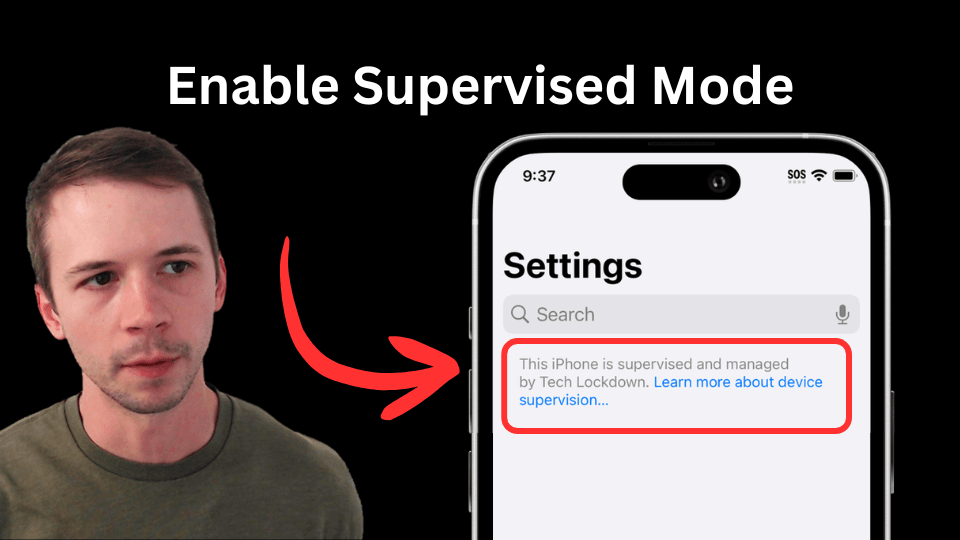
Both LivingRoom and Tech Lockdown are two distinct programs, but what we're doing here is using Tech Lockdown to enforce the LivingRoom app. Access Tech Lockdown's dashboard here and LivingRoom's dashboard here.
It may help to keep each page open in a separate tab to make things easier (preferably on a Windows or Mac computer, where this is a bit easier).
You'll be walked through a few other of our recommended options for enforcing LivingRoom
Use the instructions in the top right corner, like this:
Once the config is synced to your device, you're now able to set up the LivingRoom app next.
You should see a warning: "Finish Setup".
You can do this from the page on LivingRoom...
...or by scanning the QR code below with the iPhone:
Once you open the LivingRoom app, you should see a screen like this:
That means Tech Lockdown is set up to allow LivingRoom correctly!
You can generate a connection code from the LivingRoom dashboard under step 3, like this:
Frequently Asked Questions
How to exclude apps from requiring screen recording
There are probably some apps on your device that are completely safe to use without supervision and shouldn't require screen recording. LivingRoom lets you customize Always Allowed Apps to exclude some apps from the screen recording requirement. We recommend adding those apps as exceptions.
Here's how to do that.
How to Uninstall LivingRoom
These uninstall instructions only apply if you've set up LivingRoom using the instructions stated in this guide.
Prevent yourself from uninstalling LivingRoom
Here's how you can prevent yourself from modifying the iOS config in the Tech Lockdown dashboard to make it possible to delete LivingRoom.
You'll need to enter the PIN sent to your accountability partner to finish unlocking your profile, or random text, or anything else you set up as an unlock step. See also our dedicated guide: How to Set up an iPhone with Screen Monitoring and Content Filtering .