

How to Get Notified When Porn is viewed on an iPhone


For accountability partners helping an adult recover from addiction, it’s very important to promote transparency and provide a safe way to intervene if something goes wrong. While it is possible to use Screen Time features on iPhones, the most effective approach is to use screenshot monitoring with automatic notifications. Accountability partners get immediate feedback when adjustments are needed, and adults being supervised are encouraged to use their devices intentionally.
On iPhones, parents and accountability partners can choose from a wide range of options, and the most effective setup combines network-based and screenshot monitoring.
Choosing an Effective Approach
Many people are aware of Screen Time and how it can be used to restrict apps and websites and even provide some basic monitoring features. While Screen Time does allow parents to enforce Sensitive Content monitoring , this approach doesn't create an alert automatically as soon as nudity or explicit content is viewed on the iPhone. This is much more of a concern for parents setting up a child's iPhone, but the same idea applies to accountability partners who also set up this feature for an adult.
The best approach combines screenshot monitoring with network-based content filtering. This allows you to see how the iPhone is being used, as well as actively prevent websites or certain apps from being accessed that might have sensitive or adult content. There are other approaches worth considering because they can improve screenshot monitoring or cover additional gaps:
- Monitor websites visited on Safari with Screen Time or Apple Family Sharing .
- Supervised Mode (best suited for an adult's iPhone where Screen Time is too easy to disable).
Screenshot Monitoring on iPhones with Sensitive Content Alerts
There are a few different ways to set up screenshot monitoring, but apps like Covenant Eyes are extremely limited on iPhones , especially when it comes to web browsers other than Safari.
A better approach is to use screenshot monitoring that includes automatic nudity detection using an app like LivingRoom for Families . LivingRoom for Families creates alerts when both sensitive and suggestive content is viewed on an iPhone, and it can be set up on both a child's or adult's iPhone.
Suggestive content also includes images that aren't usually filtered by the Screen Time approach because it includes lingerie, swimsuits, or other images that are considered "provocative" as opposed to "nudity". Parents can then review these screenshots in context to better understand what happened before the content was viewed:
Parents (or accountability partners helping an adult) receive automatic notifications if porn is viewed on the iPhone immediately. This includes outright nudity, but can also be customized to include suggestive content like swimsuits or lingerie, too.
Because the entire screen on an iPhone or iPad is monitored consistently, it's very clear how the device is being used up to the point where porn might have been viewed.
Accountability Partners review screenshots on a dedicated admin panel, but notifications can be sent directly to their email. The admin panel view allows images to be filtered to only show content that has been specifically flagged as containing sensitive/suggestive content.
Monitor Websites Visited on an iPhone
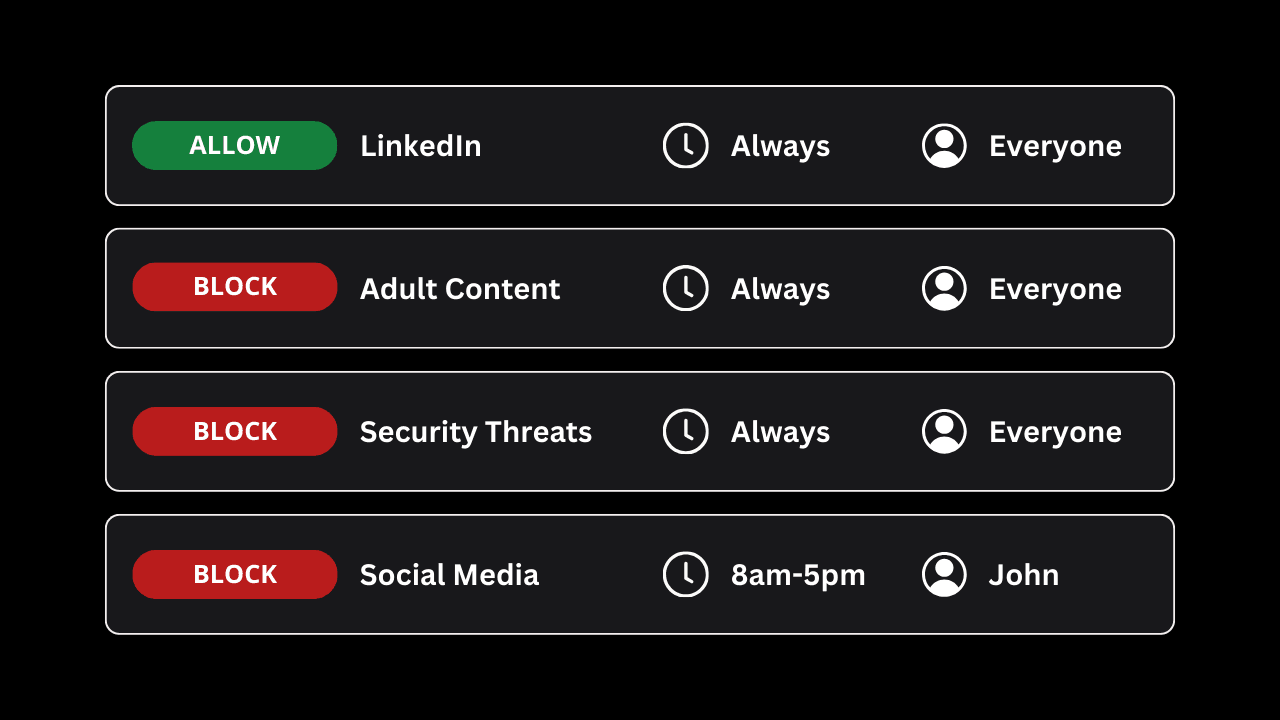
The best approach for iPhones is to use a combination of screenshot and network-based monitoring. For example, you can connect the iPhone to a DNS Content Policy to preemptively block websites (or even apps) that have adult content, nudity, or even swimsuits/lingerie.
A Content Policy also gives you detailed website logs that capture content that Screen Time might normally miss, and monitors websites visited in incognito mode or a private browsing window.
Both approaches (screenshot monitoring and the DNS Content Policy) actually work together and can also be enforced with Supervised mode . If you're an adult, chances are you might have tried locking down your iPhone with Screen Time; Supervised mode is a better alternative for adults, which makes it significantly more difficult to bypass or disable your own restrictions.
Frequently Asked Questions
Does LivingRoom blur all images that contain potentially sensitive content?
Yes, from the accountability partner’s perspective, screenshots are blurred if they have been flagged as explicit. LivingRoom captures screenshots every few seconds, so an accountability partner can see the full context up until sensitive content is viewed as well.
Can LivingRoom for Families be Used by Adults?
Yes, LivingRoom for Families can be used by adults and accountability partners helping an adult. LivingRoom can be enforced using an option called “Supervised Mode”, and this is a much stronger method that enforces the app on iPhones, which is much more difficult to remove for adults.
Can Apps be excluded from Screenshot monitoring?
Yes, apps can be excluded so they don’t require LivingRoom’s screen recorder to be active while they are being used.
By default, LivingRoom automatically blocks any app and requires that screen monitoring be enabled first. Accountability partners need to manually allow apps to exclude them.